Melomania provides you with facilities of searching for items in your
music database.
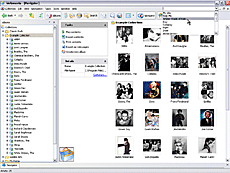
The first way to search is quick. Melomania provides you with entry
field located in the top-right corner of program's main window and intended for typing a name of the
item you are looking for. This way does not require any additional parameters and searches for
tracks, albums, and artists containing typed string as a part of their names.
Quick search applies for currently open music collection; if there are
no open collection in Melomania, the search will affect all collections available, even
if collections are close (they will be opened during the search process).
Advanced search is the second way to search for items in Melomania.
This search provides you with additional parameters, such as item type to search for; the search can be
case-sensitive, the phrase can exactly or partly match the name of item, and so on. Also it allows
you to specify what music collections the search process should affect. In addition to all these
abilities, advanced parameters allow to specify search entry from the text given in the notes
for corresponding item.
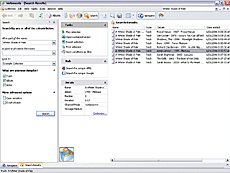
The search results appear in a separate window, which provides you with
such features as playing found tracks, opening the found item in Navigator, saving search criteria
to a new filter, etc.
«I downloaded the trial version of the software and I have to admit that it's the best cataloging software for music.»
Alex C. Australia:
«Your product is fantastic and I love it.»
Phil H. UK:
«I'm just trying out your Melomania music collector's software. I think it's superb, well done!»
Chris:
«I did not start using Melomania at random, I pretty much tried every music manager cataloguing software out there and happily admit that found Melomania the most complete, versatile and easy to use software of them all...»